The Hidden Power of Paper Templates: Unlocking Creative Precision
Discover how paper templates transform messy creativity into refined art. Practical tips, common pitfalls, and surprising insights for artists who hate rigid rules.

# The Hidden Power of Paper Templates: Unlocking Creative Precision I used to laugh when sketching friends pulled out rulers and grids. "Aren’t we supposed to be embracing free expression?" I’d scoff, smearing charcoal like a rebel. Then I spent 3 days painstakingly hand-aligning 80 identical collage pieces only to realize they looked drunk. Each piece was slightly off, creating a drunken stagger effect across the entire composition. It was frustrating, humbling, and ultimately liberating—because it taught me that perfect alignment matters, and templates make it possible. Enter templates—my reluctant [secret weapon](/finder/page/what-is-your-secret-weapon-in-art). These aren’t corporate crutches; they’re liberating frameworks for true artistry. 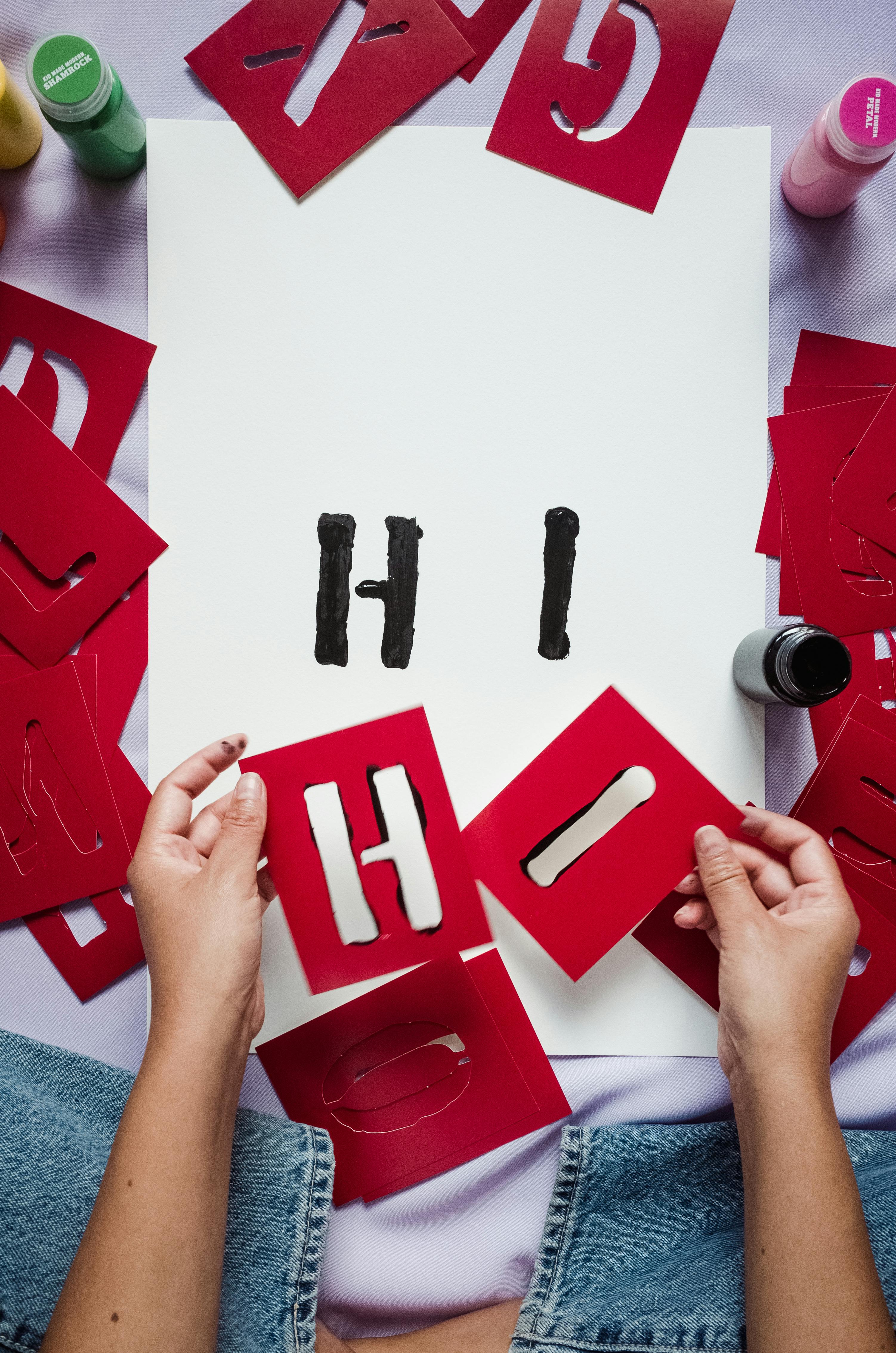 [credit](https://images.pexels.com/photos/9017641/pexels-photo-9017641.jpeg), [licence](https://creativecommons.org/public-domain/) credit, licence ## What Paper Templates Actually Do Templates don’t constrain creativity—they focus it. By handling precision mechanics, they free your brain for playful experimentation. Think of them like training wheels: temporary scaffolding that builds confidence until internalized skills kick in. Just as musicians practice scales before improvising, artists use templates to [master](/finder/page/a-collectors-guide-to-old-master-prints) fundamentals before breaking free of them. I once designed a **template for repeating patterns** in my "Chromatic Dreams" series. The initial sketches felt sterile, but adding spontaneous ink splatters between templated shapes? That’s when the magic happened. Constraints breed innovation, really. 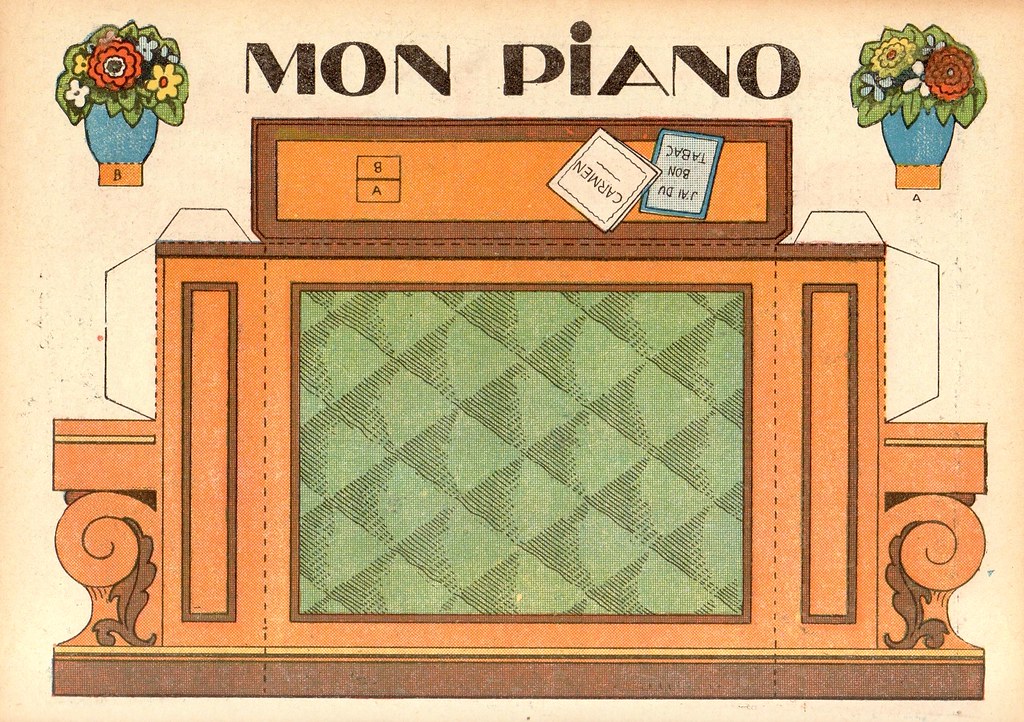 [credit](https://live.staticflickr.com/2204/2426581524_18791fcf04_b.jpg), [licence](https://creativecommons.org/licenses/by/2.0/) ### Core Template Benefits - **Consistency:** Perfect for series work like [timelines](/timeline) or product mockups - **Efficiency:** Eliminates "measure twice, cut once" paralysis - **Precision:** Essential for [geometric abstraction](/finder/page/the-symbolism-of-geometric-shapes-in-abstract-art-a-deeper-look) or intricate papercuts - **Design System Creation:** Helps establish cohesive visual language across multiple artworks - **Error Reduction:** Minimizes measurement mistakes that waste materials and time - **Learning Acceleration:** Provides structure for beginners to understand composition principles - **Style Development:** Allows for systematic exploration and refinement of personal artistic style - **Time Management:** Streamlines the [creative process](/finder/page/my-creative-process-sketchbook-to-canvas), allowing more time for experimentation - **Professional Results:** Elevates amateur work to professional standards through consistent execution - **Creative Confidence:** Provides safety nets that encourage risk-taking in other areas ## Troubleshooting Common Template Problems Even the most experienced artists encounter challenges with templates. Here are solutions to the most common problems: ### Alignment Issues **Problem:** Templates shift during use, ruining precision **Solutions:** - Use removable adhesive putty or weights to secure templates - [Create](/finder/page/how-to-create-siqueiros-inspired-murals) registration marks on both template and work surface - Work from the center outward to minimize cumulative errors - Use a [light box](/finder/page/reviewing-the-best-light-boxes-for-tracing-and-drawing) for perfect alignment on transparent templates ### Material Damage **Problem:** Templates get torn, warped, or worn out quickly **Solutions:** - Reinforce edges with clear tape or laminate - Store templates flat in protective sleeves - Use appropriate materials for your frequency of use - Have backup copies of frequently used templates ### Creative Block **Problem:** Using templates makes your work feel stale or repetitive **Solutions:** - Intentionally break template rules in each piece - Combine multiple templates in unexpected combinations - Add hand-drawn elements between templated sections - Experiment with different materials and techniques ### Technical Difficulties **Problem:** Complex templates are difficult to cut or use **Solutions:** - Start with simpler templates and gradually increase complexity - Use craft knives for intricate details and scissors for larger sections - Consider laser cutting for extremely complex designs - Practice on scrap material before using on final projects ## When Templates Sabotage Creativity There’s a dark side. I once built a elaborate template for landscape horizons only to find every print looked formulaic. Like using the same chord progression in every song. Warning bells: 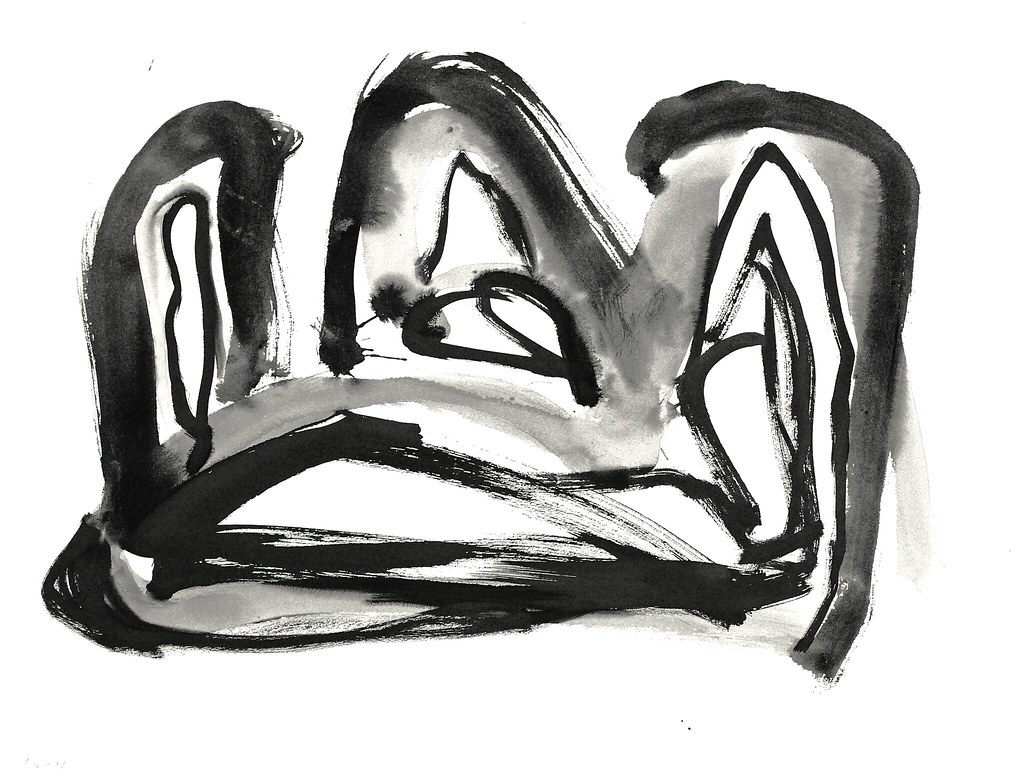 [credit](https://live.staticflickr.com/8106/28584971225_11401ccfde_b.jpg), [licence](https://creativecommons.org/licenses/by/2.0/) - **Over-reliance:** When you can’t draw a [straight line](/finder/page/elements-of-art-line) without one - **Emotional detachment:** When your work stops feeling like *yours* - **Rigidity:** When every piece looks like photocopies 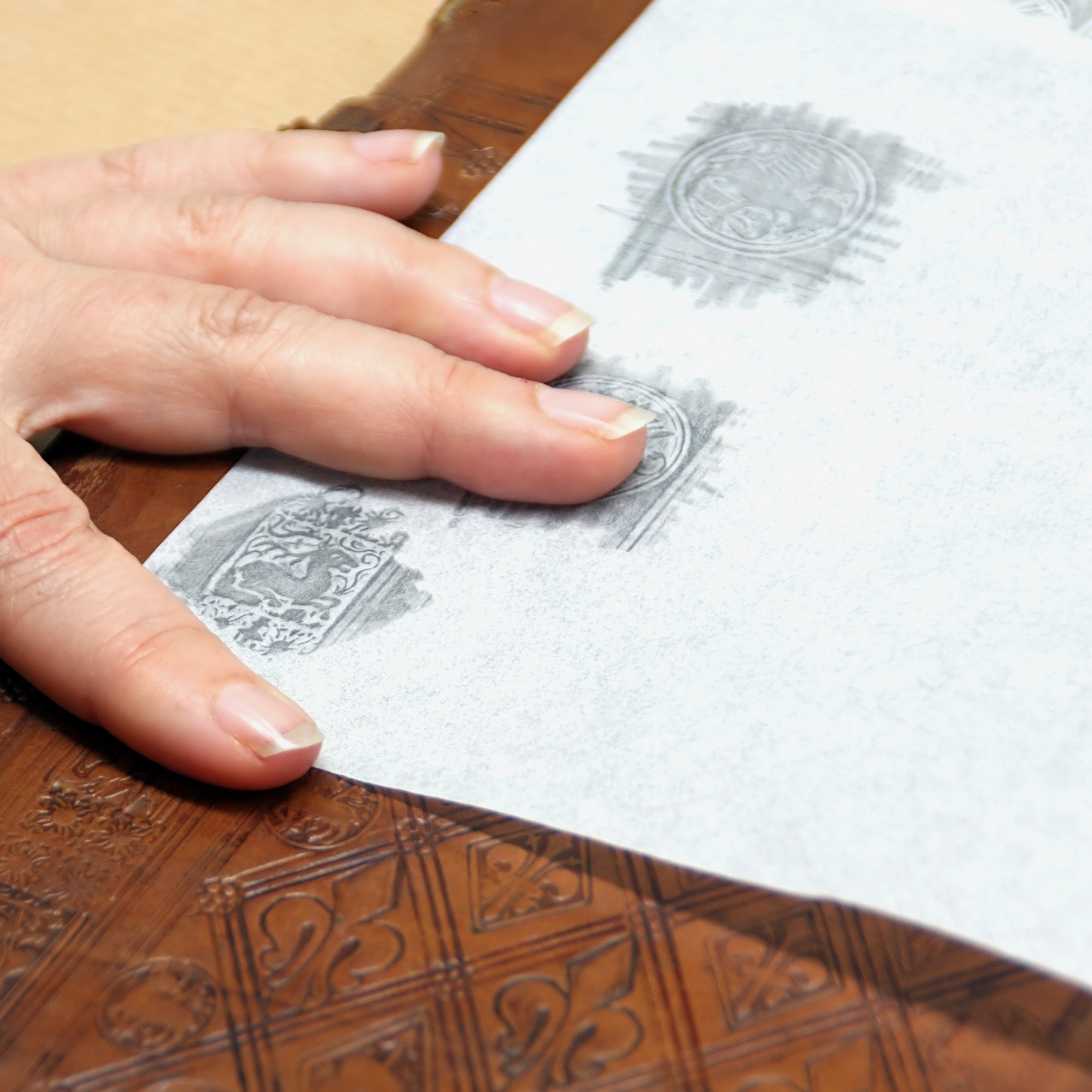 [credit](https://upload.wikimedia.org/wikipedia/commons/0/01/Einbanddurchreibung_von_Stempeln_%280117%29.jpg), [licence](https://creativecommons.org/licenses/by-sa/4.0) credit, license ## Practical Template Toolkit ### Material Comparison | Template Type | Best For | Pros | Cons | |---------------|----------|------|------| | Cardboard | Heavy repeated use | Sturdy, reusable | Can warp with moisture | | Transparent Plastic | Complex layouts | Easy to trace, see-through | Expensive for large sizes | | Acetate Overlays | [Mixed media](/finder/page/the-definitive-guide-to-mixed-media-in-abstract-art-techniques-materials-and-contemporary-masters) | Water-resistant, won’t smudge | Slides during tracing | | Digital Templates | Scaling/resizing | Infinitely adjustable | Requires printer + steady hand |  [credit](https://images.pexels.com/photos/7457657/pexels-photo-7457657.jpeg), [licence](https://creativecommons.org/public-domain/) ### Quick-Start Guide to Paper Templates 1. **Sketch First:** Block everything out freehand, wobbles and all 2. **Identify Repeating Elements:** Circles? Grids? Lettering? Only template what *must* be precise 3. **Create the Master:** Print/draw on durable material like matte cardstock 4. **Trace Adaptively:** Don’t trace blindly—leave intentional breaks for personality 5. **Diversify:** Use different templates for series cohesion vs. spontaneous pieces I keep a **stencil folder** with 3 levels: rigid geometric, loose organic, and text-only. Like selecting spices—some dishes need measured paprika, others just a pinch of salt. This tiered approach allows me to match the right level of structure to the creative needs of each project.  [credit](https://commons.wikimedia.org/wiki/File:Screen_printing_at_NTAS.jpg), [licence](https://creativecommons.org/licenses/by-sa/4.0) ### Advanced Template Organization Systems Beyond simple folder organization, consider these sophisticated systems: #### Digital Template Management - **Cloud storage:** Access templates from any device or location - **Version control:** Track template evolution and iterations - **Metadata tagging:** Organize by project, style, or materials used - **Collaborative sharing:** Work with other artists on shared templates #### Physical Template Libraries - **Archival storage:** Climate-controlled systems for valuable templates - **Modular systems:** Interchangeable storage components - **Protective environments:** Acid-free materials and proper humidity control - **Inventory tracking:** Catalog systems to prevent loss or misplacement #### Template Lifecycle Management - **Creation workflow:** Standardized processes for template development - **Usage tracking:** Monitor which templates work best for different projects - **Maintenance schedules:** Regular care and updating of template collections - **Retirement protocols:** When and how to phase out outdated templates ### Template Hierarchy System My template library is organized by complexity and purpose: #### Level 1: Structural Templates - Precise geometric grids and guides - Architectural elements (windows, doors, arches) - Mathematical patterns (spirals, fractals) - **Purpose:** Providing foundational structure - **Best Projects:** Cityscapes, abstract compositions, architectural studies #### Level 2: Pattern Templates - Repeating decorative motifs - Border and frame designs - Textile-inspired patterns - **Purpose:** Creating rhythm and visual interest - **Best Projects:** Pattern-based artwork, textile designs, ornamental pieces #### Level 3: Detail Templates - Small accent shapes and ornaments - Texture and surface patterns - Calligraphic elements - **Purpose:** Adding finishing touches and personality - **Best Projects:** Mixed media, collage, detailed illustrations #### Level 4: Experimental Templates - Abstract shapes and forms - Mixed media integration guides - Process-oriented templates - **Purpose:** Exploration and innovation - **Best Projects:** [Conceptual art](/finder/page/what-is-conceptual-art), experimental mixed media, process-based work #### Level 5: Collaborative Templates - Shared elements for series work - Variation generators for systematic exploration - Cross-medium integration guides - **Purpose:** Maintaining consistency across diverse projects - **Best Projects:** Series collections, collaborative projects, portfolio development This system ensures I always have the right tool for the job, whether I need precise structure or just a hint of guidance.  [credit](https://live.staticflickr.com/65535/52757456471_cd4939f7d7_b.jpg), [licence](https://creativecommons.org/licenses/by-nc-nd/2.0/) ## The Anti-Rigor Rulebook My most creative pieces blend templated structures with happy accidents. One series started with rigid pop-art grids, but I "accidentally" spilled coffee on the template. The resulting watercolor blooms transformed it. Pro tip: **Always leave margins for spontaneity.** If your template covers the entire surface, shrink it by 10% to carve out breathing room. ### The 80/20 Template Rule I've found that the most satisfying results come from using templates for about 80% of the composition while leaving 20% open for improvisation. This balance provides structure without stifling creativity: - **Structured elements:** Background grids, geometric frameworks, consistent spacing - **Free-form areas:** Focal points, organic details, spontaneous embellishments - **Transition zones:** Areas where structured elements gradually dissolve into free-form expression #### Advanced Variations of the Template Rule The 80/20 rule is a great starting point, but experienced artists often adapt this ratio based on their specific goals: - **The 95/5 Rule:** For highly technical work where precision is paramount (architectural drawings, geometric precision pieces) - **The 70/30 Rule:** For balanced compositions where both structure and spontaneity play equal roles - **The 60/40 Rule:** For expressive work where the hand of the artist remains visible - **The 50/50 Rule:** For experimental pieces exploring the tension between control and chaos - **The 20/80 Rule:** For intuitive work where templates provide just enough guidance to prevent chaos ### Breaking the Rules Intentionally Sometimes the most creative breakthroughs come from deliberately breaking your own template rules: - **Template Inversion:** Use the negative space around your templated shapes - **Scale Distortion:** Apply templates at different scales within the same composition - **Material Mixing:** Combine templates with different media (paint, collage, photography) - **Time-Based Variation:** Create templates that evolve across a series of works One series started with rigid pop-art grids, but I "accidentally" spilled coffee on the template. The resulting watercolor blooms transformed it. Pro tip: **Always leave margins for spontaneity.** If your template covers the entire surface, shrink it by 10% to carve out breathing room.  [credit](https://upload.wikimedia.org/wikipedia/commons/2/2f/Einbanddurchreibung_von_Stempeln_%280116%29.jpg), [licence](https://creativecommons.org/licenses/by-sa/4.0) credit, license  [credit](https://www.publicdomainpictures.net/pictures/510000/nahled/image-1684562415SDr.jpg), [licence](https://creativecommons.org/publicdomain/zero/1.0/) ## FAQ: Template Truths **Q: Templates limit originality, right?**<br>A: Only if you let them. Think of them as musical scales—rules you master to later break brilliantly. My "Den Bosch Garden" series [exhibition](/den-bosch-museum) used grids for the framework but hand-painted floral explosions between lines. The contrast between structured geometry and organic freeform created a dynamic tension that viewers loved. **Q: How do I prevent my template-based work from looking mechanical?**<br>A: The secret is in the "imperfect execution." Never trace perfectly—intentionally vary pressure, add small deviations, and incorporate hand-drawn elements alongside templated ones. I often add pencil shading or ink accents by hand after tracing. **Q: What's the best way to store my template collection?**<br>A: Invest in a portfolio or file system with clear plastic sleeves. Store them flat to prevent warping. I keep mine organized by project and complexity level—basic geometric shapes in one section, intricate designs in another. **Q: Can I reuse templates for different projects?**<br>A: Absolutely! Many of my most versatile templates get used across multiple series. I have a "universal grid" template that works for cityscapes, abstract compositions, and even textile designs. The key is adapting the template to each new context. **Q: How do I create templates from my existing drawings?**<br>A: Scan your original artwork, then use image editing software to isolate the elements you want to template. Convert them to vector format for crisp edges, then print on appropriate material. Start with simpler elements before attempting complex shapes. **Q: What about templates for 3D work or sculpture?**<br>A: Templates work beautifully for 3D work too! I use them for creating consistent paper sculptures, origami patterns, and even as guides for carving and modeling. The principles of consistency and efficiency apply across all media. **Q: How do I teach kids to use templates without stifling their creativity?**<br>A: Start with open-ended templates—shapes or patterns they can combine in endless ways. Focus on the "play" aspect, and always encourage them to modify or break the rules. I've seen kids create amazing work by using templates as just one tool in their creative toolbox. Think of them as musical scales—rules you master to later break brilliantly. My "Den Bosch Garden" series [exhibition](/den-bosch-museum) used grids for the framework but hand-painted floral explosions between lines. **Q: Can I use templates for organic subjects?**<br>A: Absolutely! Use them for proportions (e.g., facial guides) instead of strict outlines. The trick is sketching within the template, not tracing. This maintains the template's guidance while adding your personal hand to the execution. **Q: Where do I find templates?**<br>A: Start simple: Print images fromPinterest onto transparencies. For serious work, invest in artist-grade stencils like those I source from small-batch makers. These often have better materials, more thoughtful design, and support independent artists. Avoid generic corporate templates—they lack soul. Commercial templates are designed for efficiency, not artistry. Your creative journey deserves tools that understand and support your unique vision. For serious work, invest in artist-grade stencils like those I source from small-batch makers. Avoid generic corporate templates—they lack soul. **Q: Digital vs. paper templates?**<br>A: Digital wins for scaling text/graphics. Paper unbeatable for tactile control. I toggle between both—digital for initial layout, handwritten refinements with ink pens. This hybrid approach gives me the best of both worlds: digital precision combined with human touch. The physical feedback of paper templates helps me connect more deeply with the creative process. I toggle between both—digital for initial layout, handwritten refinements with ink pens. **Q: What about [NFT](/finder/page/what-is-the-nft-virtual-racing-game-market) templates?**<br>A> Skeptic mode activated. While some artists claim NFT templates ensure "authenticity" in digital spaces, I’ve seen too many cookie-cutter artworks dominating markets. Blockchain tools feel like corporate artwashing for lazy collectors. Stick to physical templates where craftsmanship matters. ## Your Template Journey Start small this week: Grab a leftover cereal box, cut a shape, and make 10 variations. Notice how precision opens doors to bolder experimentation. Remember **templates are servants, not masters.** The moment they stop feeling liberating? Burn them. Or at least recycle them into a new collage, like I did with my old ruler-based grids. ### The Evolution of an Artist's Template Practice Your relationship with templates will evolve as you grow as an artist. What starts as a practical tool can become an integral part of your creative identity:  [credit](https://images.pexels.com/photos/7859311/pexels-photo-7859311.jpeg), [licence](https://creativecommons.org/public-domain/) #### Stage 1: The Skeptic (Months 1-3) - You doubt templates have any place in "real" art - You use them reluctantly for technical necessities - You worry they'll make your work look sterile - **Key insight:** Templates solve specific problems #### Stage 2: The Convert (Months 4-6) - You discover templates save time and improve consistency - You start collecting and creating your own templates - You use templates for more complex projects - **Key insight:** Templates are time-saving tools #### Stage 3: The Innovator (Months 7-12) - You modify and customize templates for unique effects - You combine multiple templates in single projects - You develop your signature template techniques - **Key insight:** Templates can be personalized #### Stage 4: The Master (Year 2+) - Templates become invisible in your creative process - You create templates as naturally as you sketch - You teach others your template philosophy - **Key insight:** Templates are extensions of your artistic voice ### Building Your Template Library Over Time Creating a comprehensive template collection is a journey that evolves with your artistic practice: #### Phase 1: Foundational Templates (First 3-6 Months) - Basic geometric shapes: circles, squares, triangles - Simple grids and guidelines - Essential lettering and number templates - Common organic forms: leaves, waves, clouds - **Storage Solution:** Heavy-duty page protectors in a 3-ring binder - **Maintenance:** Regular cleaning and edge reinforcement #### Phase 2: Specialized Templates (6-12 Months) - Project-specific templates for your main themes - Scale variations of your foundational shapes - Complex pattern templates for backgrounds - Mixed media integration templates - **Storage Solution:** Organized by project in labeled file folders - **Maintenance:** Period review and refinement of less-used templates #### Phase 3: Signature System (1-2 Years) - Templates that define your unique artistic style - Advanced composite templates combining multiple elements - Series-specific templates for cohesive bodies of work - Templates that bridge traditional and digital media - **Storage Solution:** Portfolio case with acid-free sleeves - **Maintenance:** Digital backup of key templates for reproduction #### Phase 4: Legacy Templates (2+ Years) - Master templates that represent your artistic evolution - Teaching and demonstration templates - Templates that can be shared or licensed - Experimental templates that push the boundaries of traditional template use - **Storage Solution:** Archival-quality flat files with climate control - **Maintenance:** Documentation of template history and applications ### Template Community and Sharing Consider joining or creating template communities: - **Template swaps:** Exchange handmade templates with other artists - **Template libraries:** Share digital templates through online platforms - **Template workshops:** Teach others your template techniques - **Collaborative projects:** Use each other's templates for cross-pollination of ideas - **Template challenges:** Monthly creative prompts using shared templates - **Template documentation:** Create process videos showing template applications - **Template marketplaces:** Sell unique designs to other artists - **Template databases:** Contribute to open-source template collections The beauty of templates is that they're both personal and universal—your unique approach can inspire others while you continue to learn from their innovations. Now go create something precise yet beautifully unpredictable. Your canvas awaits.  [credit](https://live.staticflickr.com/4579/38453426636_a0217492a2_b.jpg), [licence](https://creativecommons.org/licenses/by/2.0/) ### Final Thoughts: The Art of the Template After years of working with templates, I've come to see them not as tools of limitation but as gateways to possibility. They're the silent partners in my creative process—the foundation upon which I build the unexpected. The most satisfying art often emerges from the tension between structure and spontaneity, between precision and play. ### The Philosophy of Creative Constraints Remember that every master artist was once a beginner who needed guides and frameworks. Templates are those guides, but they should never become the destination. The goal is to internalize the principles they teach until you no longer need them—until precision becomes second nature and creativity flows unhindered. This philosophy extends beyond art into all creative endeavors. Constraints aren't enemies of creativity—they're the very thing that sparks it. Think about it: the most compelling stories often follow strict narrative structures, the most beautiful music adheres to complex harmonic rules, and the most innovative designs emerge from thoughtful limitations. #### The Template Mindset So embrace the template. Play with it. Push its boundaries. Break its rules. And in doing so, discover not just better art, but a deeper understanding of your own creative process. - **See templates as invitations, not restrictions** - **View precision as a foundation, not a limitation** - **Consider structure as a launchpad, not a landing zone** - **Treat rules as guidelines to be understood, then transcended** The world needs both precision and unpredictability in art. Templates help you find the perfect balance between them. Now go create something that makes people look twice—once at the structure, and once at the magic that happens within it. [limited-edition prints with templated designs](/buy) ### Template Safety and Best Practices Working with templates involves some safety considerations that every artist should be aware of:  [credit](https://upload.wikimedia.org/wikipedia/commons/5/56/Anamorphic_art_toy_by_OOZ_%26_OZ.jpg), [licence](https://creativecommons.org/licenses/by-sa/3.0) #### Cutting Safety - **Always cut away from your body** and fingers - **Use self-healing mats** to protect your work surface and extend blade life - **Change blades regularly**—dull blades require more force and are more dangerous - **Keep fingers behind the blade** line when cutting - **Store knives safely** when not in use #### Material Safety - **Ventilation:** Use in well-areas when working with sprays or adhesives - **Gloves:** Wear protective gloves when handling certain materials - **Eye protection:** Consider safety glasses when cutting or drilling - **Material knowledge:** Understand the properties and safety requirements of each template material #### Ergonomic Considerations - **Take regular breaks** to prevent repetitive strain injuries - **Use proper lighting** to reduce eye strain - **Maintain good posture** when working for extended periods - **Organize your workspace** to minimize reaching and awkward movements ### Resources for Template Artists #### Recommended Tools and Materials | Tool/Item | Purpose | Recommended Brands | Price Range | Essential For | |-----------|---------|-------------------|-------------|--------------| | Precision knives | Cutting templates | Olfa, X-Acto | $5-$25 | Intricate designs | | Self-healing mats | Cutting surfaces | Alvin, Arteza | $15-$50 | Safety and precision | | Mylar sheets | Durable templates | Grafix, Cricut | $20-$100 | Professional work | | Digital design software | Creating templates | Adobe Illustrator, Affinity Designer | $20-$60/month | Complex designs | | Die cutting machines | Automated cutting | Cricut, Silhouette | $150-$400 | Repetition production | | Stencil brushes | Applying paint through templates | Royal & Langnickel, Loew-Cornell | $8-$20 | Paint application | | Spray adhesives | Temporary template attachment | 3M, Aleene's | $8-$15 | Secure positioning | | Cutting rulers | Straight edge cutting | Olfa, Westcott | $10-$30 | Linear templates | | Circle cutters | Perfect circular shapes | Fiskars, Olfa | $20-$60 | Geometric precision | | Heat guns | Template shaping | Wagner, Milwaukee | $30-$80 | 3D template forming | | Transfer papers | Template image transfer | Saral, graphite paper | $5-$15 | Complex pattern transfer | | Template cleaners | Maintenance | Isopropyl alcohol, specialized cleaners | $5-$15 | Template longevity |  [credit](https://upload.wikimedia.org/wikipedia/commons/1/12/Printing_Using_a_Linocut_Design.jpg), [licence](https://creativecommons.org/licenses/by-sa/3.0) ### Advanced Template Techniques Once you've mastered the basics, these advanced techniques can take your template work to the next level: #### Multi-Layer Template Systems Create depth and complexity by layering multiple templates: - **Registration marks:** Ensure precise alignment between layers - **Layered opacity:** Use translucent materials to preview combinations - **Progressive revelation:** Reveal layers gradually for dynamic effects #### Template Modification in Process Don't treat templates as static—evolve them as you work: - **Template distressing:** Intentionally wear down edges for aged effects - **Template hybridization:** Combine multiple templates in unexpected ways - **Template degradation:** Allow natural wear to create unique variations #### Digital-Analog Hybrid Systems Bridge digital precision with tactile creation: - **Digital drafting, analog execution:** Design digitally, create physically - **Template scanning:** Digitize physical templates for modification - **3D printing templates:** Create complex forms that would be impossible by hand #### Template Design Software Comparison | Software | Learning Curve | Best For | Platform | Cost | Special Features | |----------|---------------|----------|----------|------|------------------| | Adobe Illustrator | Steep | Professional vector work | Mac/Win | $20-60/month | Industry standard, extensive plugins | | Affinity Designer | Moderate | Professional vector work | Mac/Win/iOS | $20-50 one-time | One-time purchase, iPad version | | Inkscape | Moderate | Free vector design | Mac/Win/Linux | Free | Open source, great community support | | [Procreate](/finder/page/procreate-for-beginners-guide) | Moderate | Digital [drawing](/finder/page/definitive-guide-to-drawing-techniques) with templates | iPad | $10 one-time | Natural brush engine, intuitive interface | | Canva | Easy | Simple template designs | Web/Mac/Win/iOS | Free-$15/month | User-friendly, templates available | | SVG Edit | Easy | Basic SVG editing | Web | Free | Web-based, no installation needed | | CorelDRAW | Moderate | Professional design | Mac/Win | $15-25/month | Strong typography, photo editing | | Krita | Easy | Digital painting with templates | Mac/Win/Linux | Free | Painting-focused, great brushes | | Gravit Designer | Easy | Multi-platform design | Web/Mac/Win | Free-$50/year | Cloud-based, collaborative features | | InDesign | Steep | Layout-based templates | Mac/Win | $20-60/month | Perfect for multi-page templates | #### Community and Learning Resources - **Online Forums:** Reddit's r/papercraft, r/stenciling communities - **YouTube Channels:** The Paper Engineer, StencilGirl Talk, Paper Pursuits - **Books:** "The Stencil Book" by Sandra Salamony, "Paper Engineering" by Mark Hiner - **Workshops:** Local art centers, online classes through Skillshare or Domestika - **Template Marketplaces:** Etsy, Creative Market, StencilGirl Products - **Artist Communities:** Instagram hashtag #templateartists, #papertemplateart - **Podcasts:** "The Creative Process", "Artist's Toolkit" - **Design Blogs:** Grain Edit, Design Sponge, The Dieline - **Template Libraries:** Open source collections on GitHub, Instructables - **Educational Platforms:** Coursera design courses, Udemy template workshops - **Supply Stores:** Dick Blick, Michaels, art supply websites - **Local Groups:** Meetup template workshops, art collective sessions